
How to Make a Free Holiday E-Card in About a Minute
Make your own custom holiday e-card with this easy template and send it out without reaching for a postage stamp or an address book!

Holiday cards don't have to be a headache! In fact, all you need is your iPhone and an Instagram account to create an easy, free holiday card to share with your friends and family...and it only takes about a minute. You can watch our quick video tutorial, or here it is broken down, step by step:
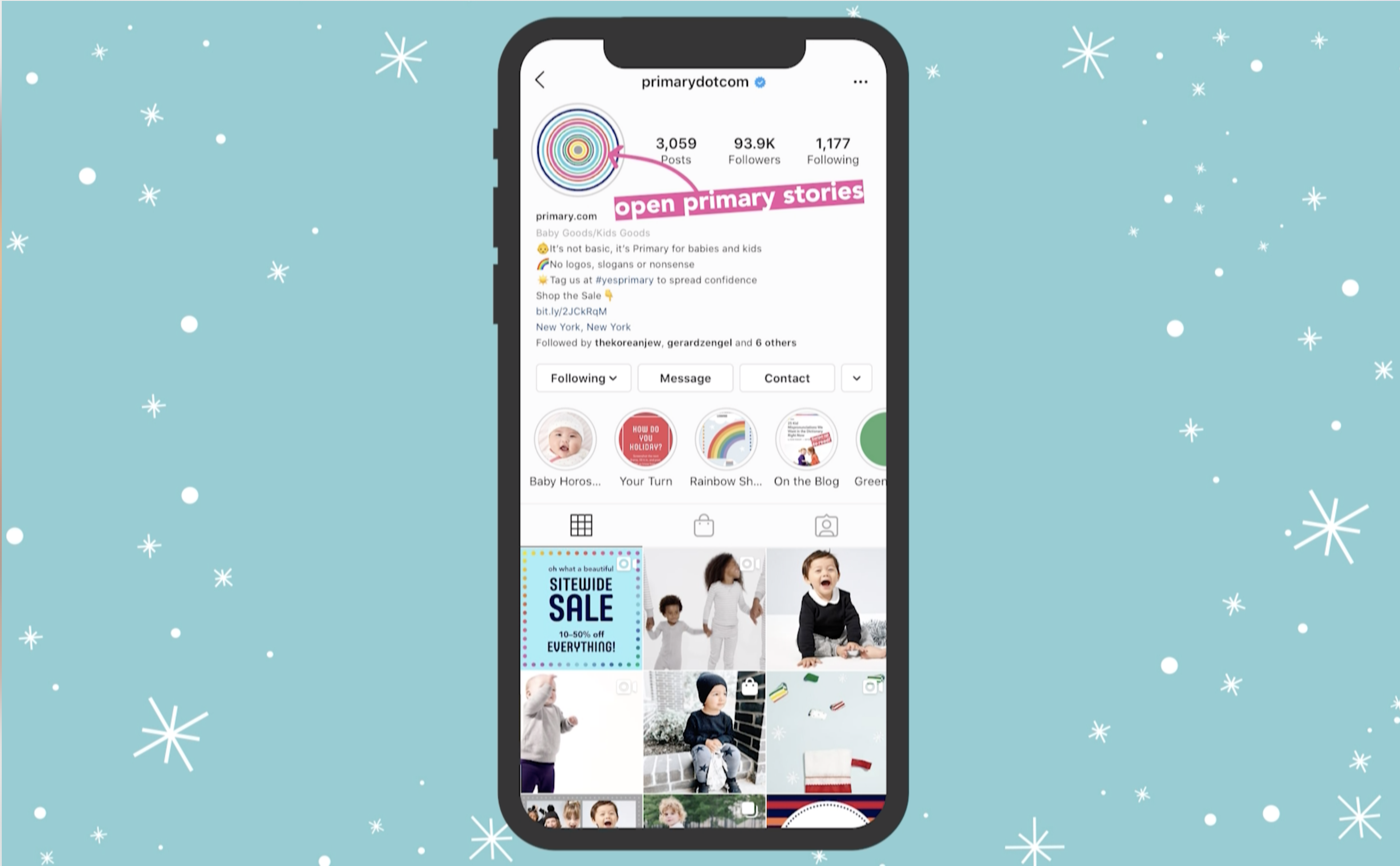
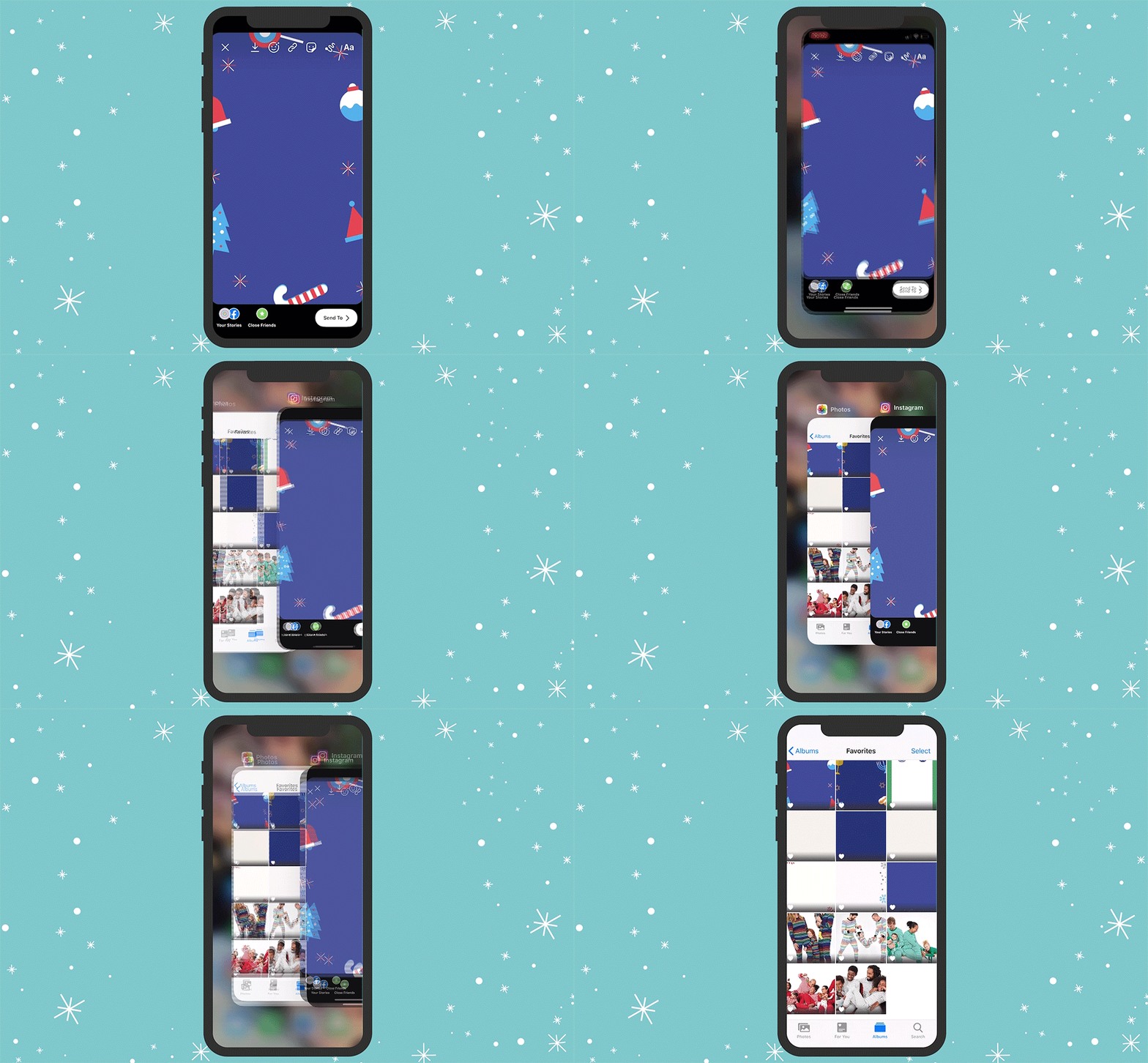
Step 1: Go to Primary's Instagram and tap stories.
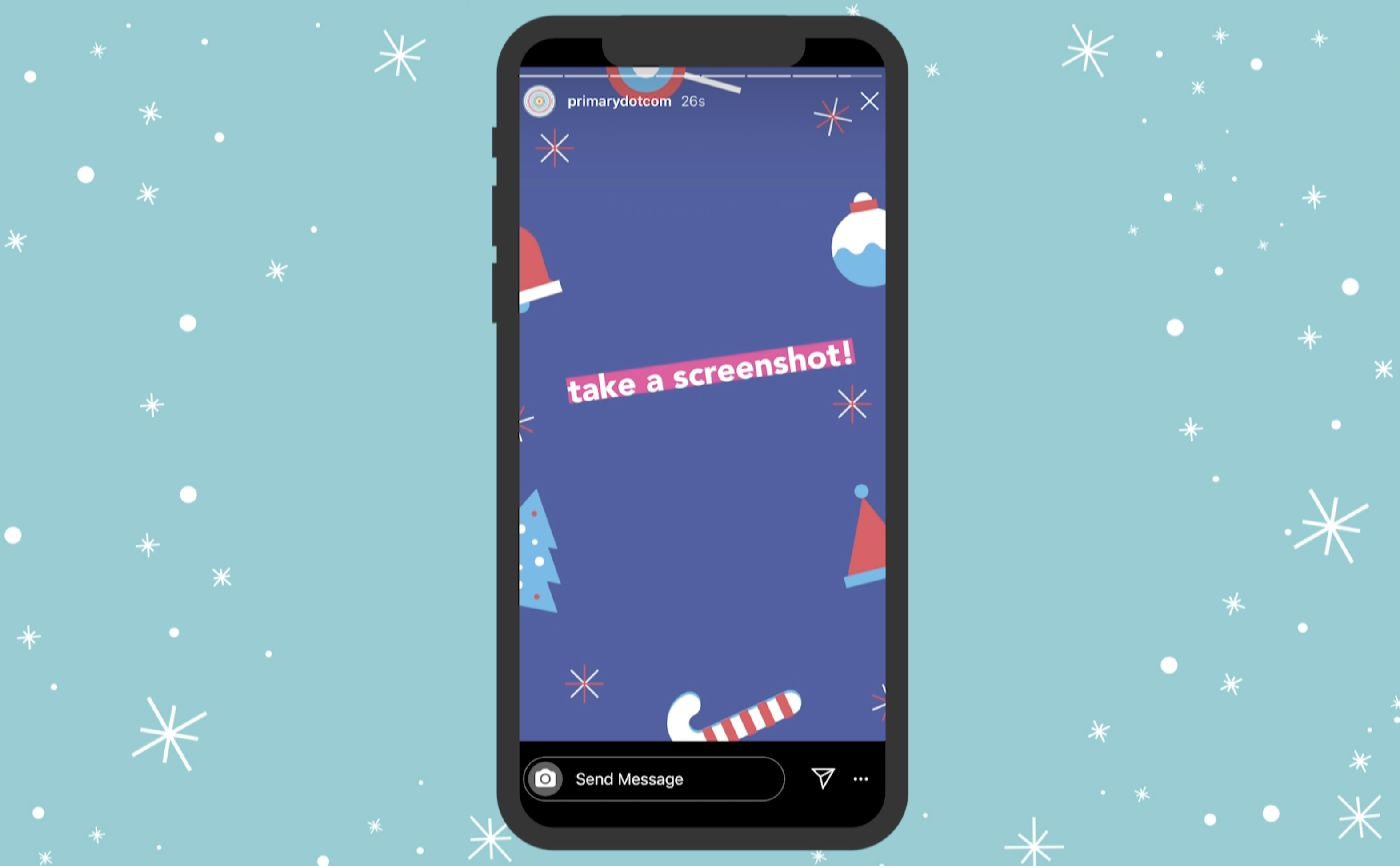
Step 2: Take a screenshot of the background template. (Pro tip: tap and hold to make the profile overlay disappear before taking your screenshot.)
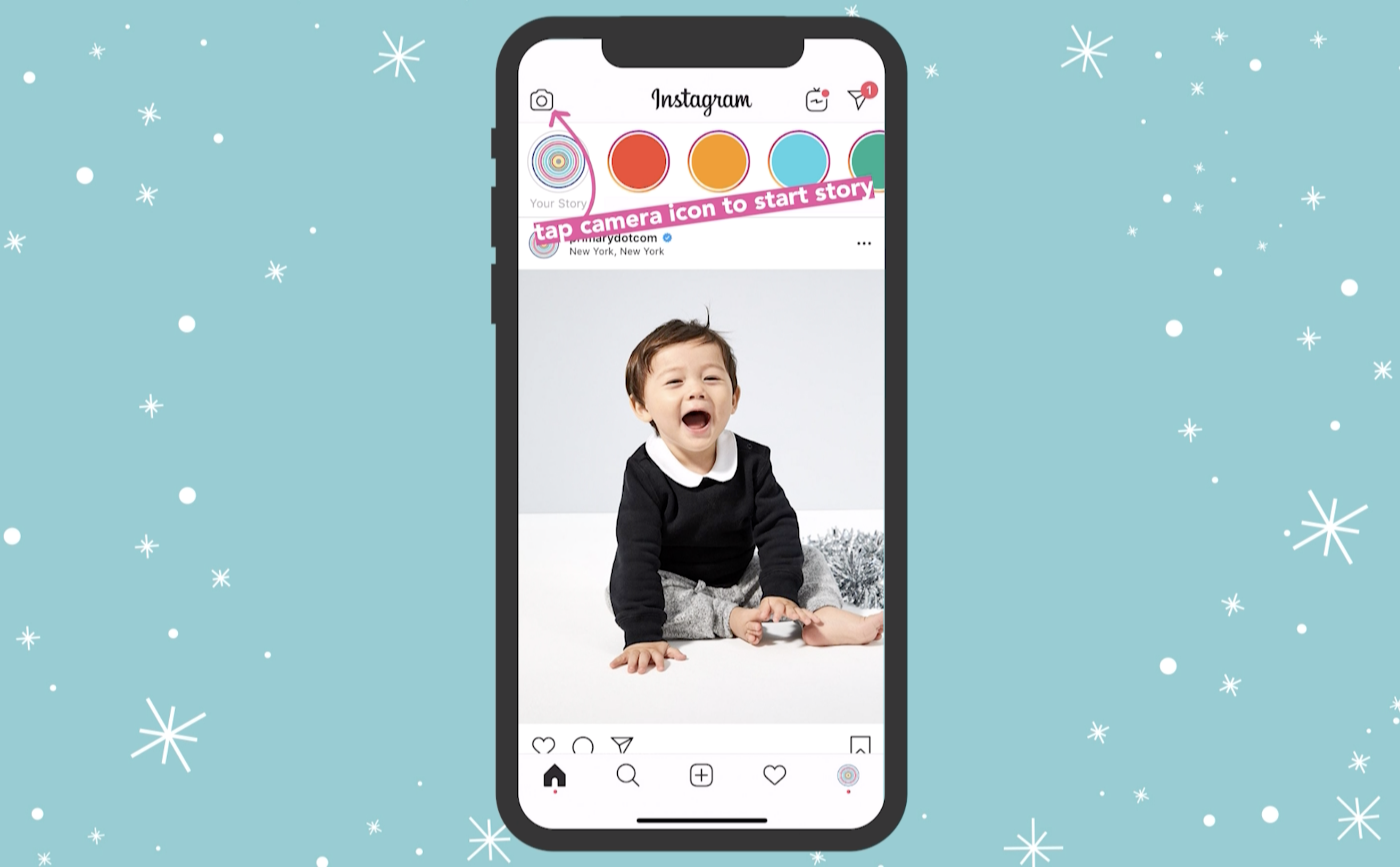
Step 3: Open your own Instagram stories.
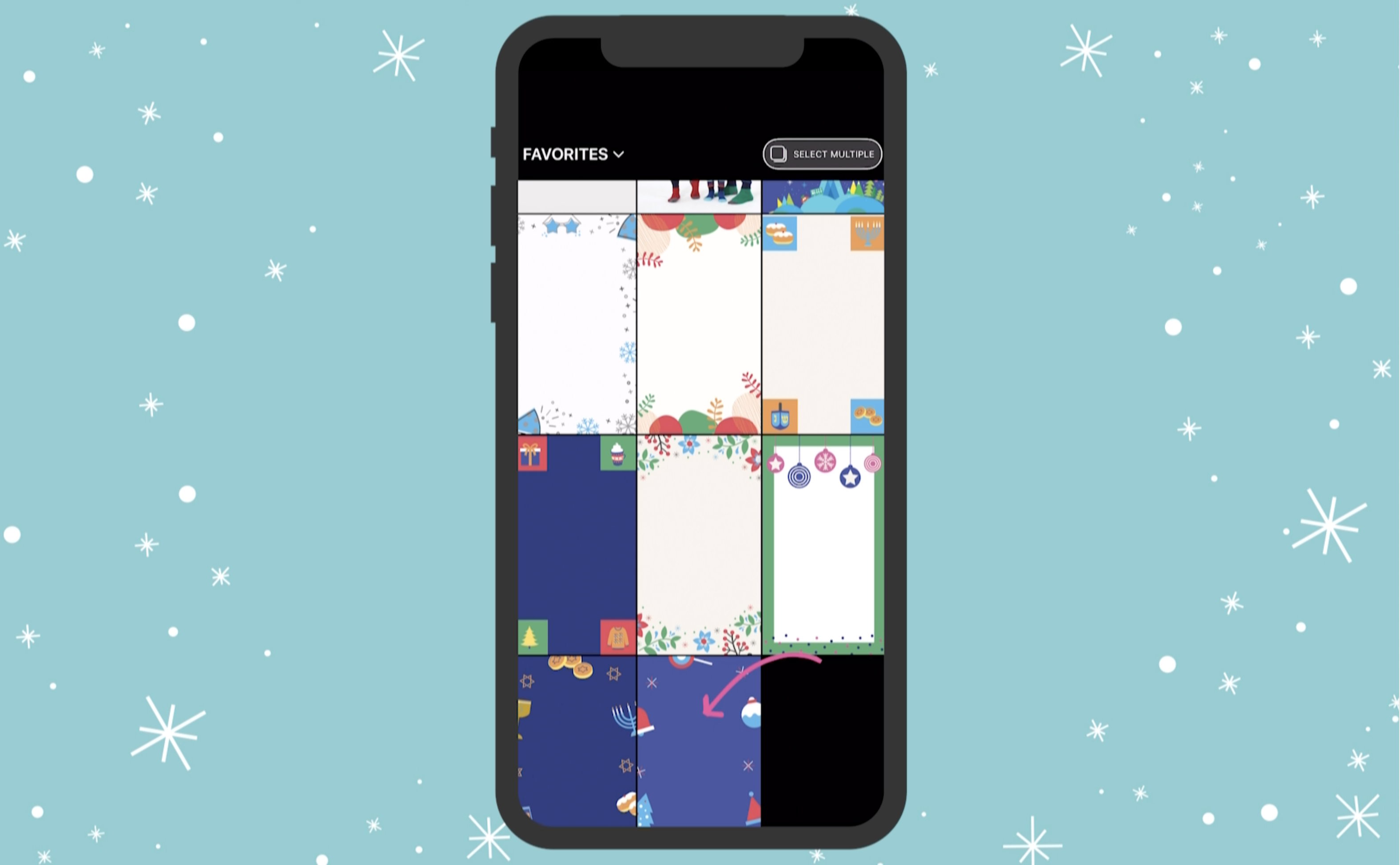
Step 4: Swipe up and select your screenshot to create the background of your card.
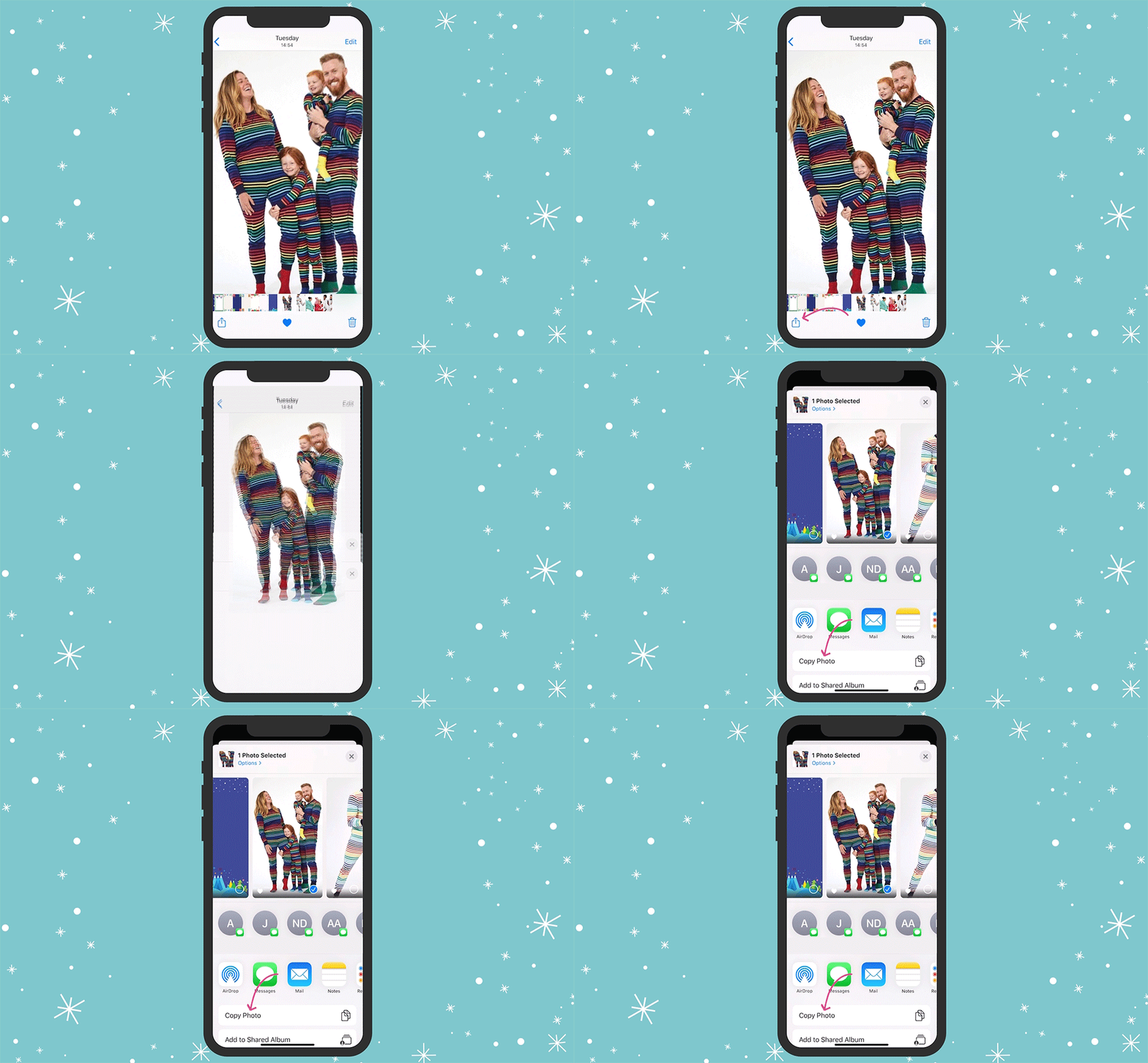
Step 5: Now open your photo library. (Don't worry, we'll be coming back to Instagram soon!)
Step 6: Select the photo you want to feature from your photo library. Once selected, click on "copy photo" at the bottom of your screen.
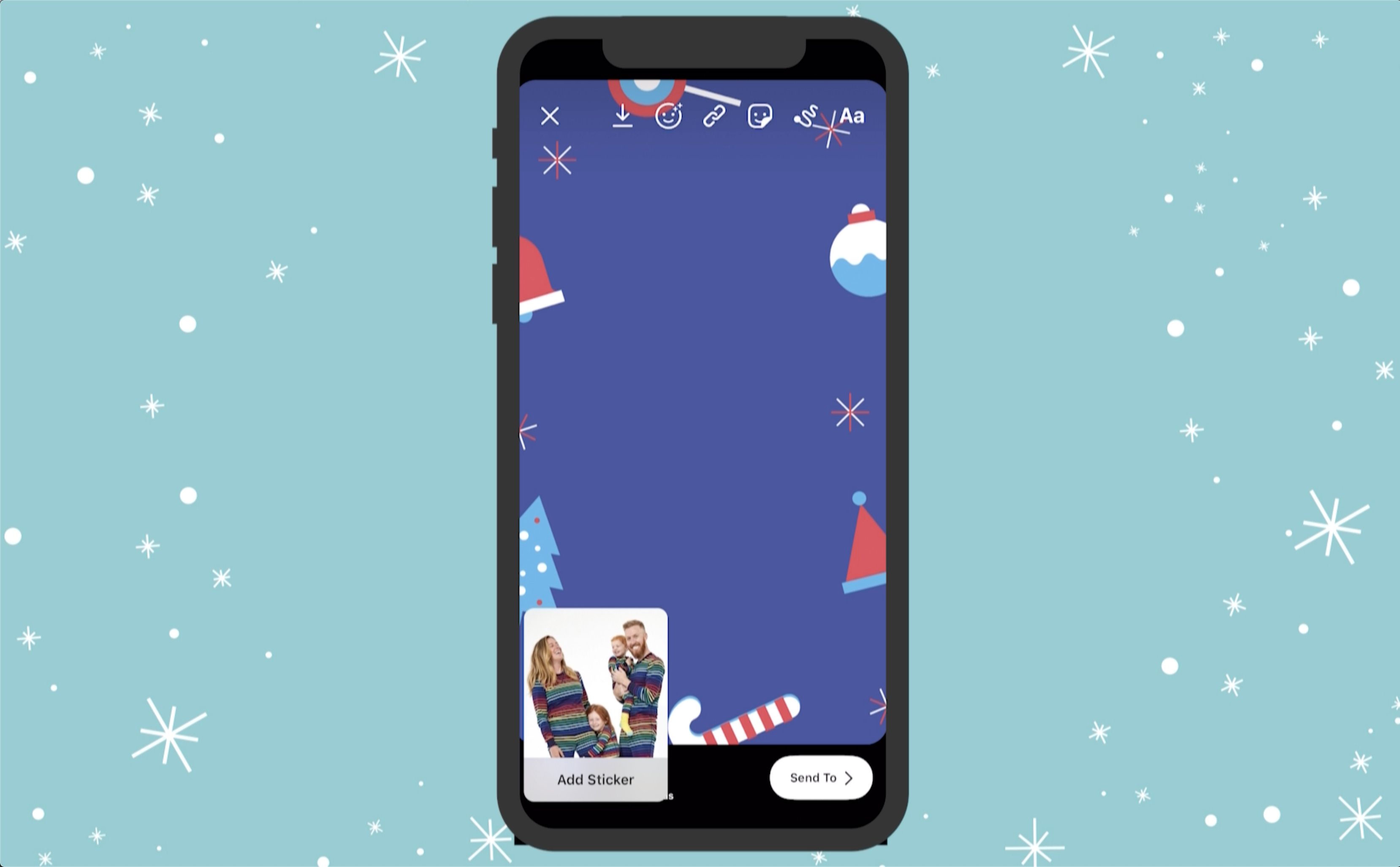
Step 7: Now head back to your in-progress Instagram story. Your selected photo will pop up with the option to "Add Sticker." Add the sticker and place the photo on the background. (Cool, huh?!)
Step 8: Use the GIF menu and text option to adorn your photo and add a greeting. (We highly recommend the "primarydotcom" GIPHY stickers. Just sayin'.)
Step 9: Finally, share your e-card to your stories, or send to individual friends. (Don't forget to tag @primarydotcom - we'd love to re-post your cards!)
Step 10: There is no Step 10! You're done! Go you!
Love this holiday hack? Share it with a friend!

More from DIY
View all posts-
 Translation missing: en.blogs.article.posted_in DIY
A Guide to the Great Underwear Drawer Refresh
-
 Translation missing: en.blogs.article.posted_in DIY
Holiday How-To: DIY Patterned Wrapping Paper
-
 Translation missing: en.blogs.article.posted_in Primary Color Camp
Primary Color Camp: Make-Your-Own Bored Jar


